Cluster stitches
Cluster stitches group several stitches into a single unit that share one top loop, and the editor has dedicated tools for adding and adjusting them. A cluster counts as a single stitch in your chart, even though it is made of several stitches worked together.
Adding a cluster
Section titled “Adding a cluster”- Select All stitches on the rail to open the stitch library.
- Search for cluster, or open the Clusters category.
- Drag the Cluster onto the canvas and drop it where you want it.
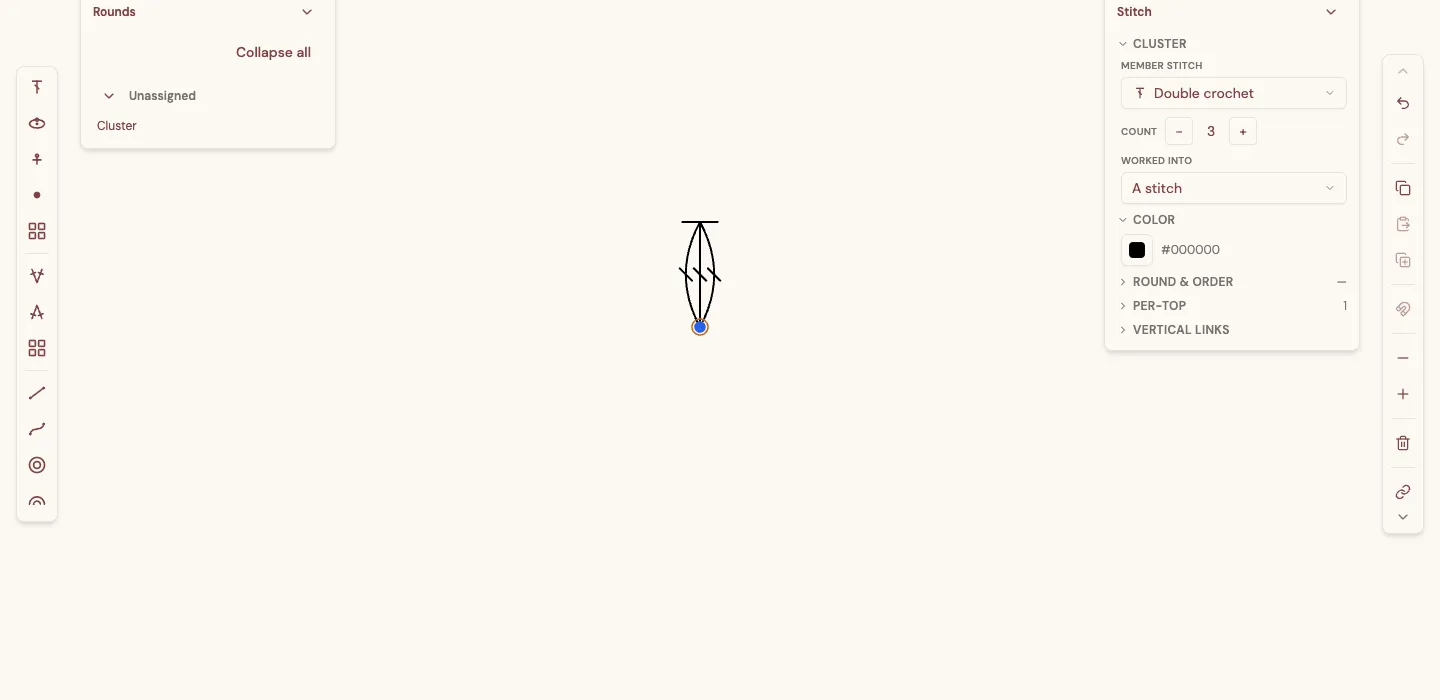
A cluster is placed as a single unit — a fan of members rising to one shared top.
Adjusting a cluster
Section titled “Adjusting a cluster”Select the cluster to open its details in the inspector. The Cluster section has three controls:
- Member stitch — which stitch the cluster is built from (double crochet, treble, and so on). All members are the same type.
- Count — how many members the cluster has, from 2 to 5. Use the − and + buttons to change it.
- Worked into — whether the cluster is worked into a single stitch or around a chain space (explained below).
Closed base vs. open base (挑針 / 挑束)
Section titled “Closed base vs. open base (挑針 / 挑束)”Crochet clusters are worked in one of two ways, and the Worked into setting chooses between them. These two ways have well-known Japanese names that you will see in Japanese patterns:
-
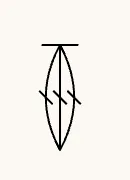
挑針 — a stitch (closed base). All the members share a single point at the bottom, worked into one stitch of the row below. Choose A stitch under Worked into. The members meet at one base, giving the cluster a narrow, pointed foot.
-
挑束 — a space (open base). The members are spread across a chain space rather than gathered into one stitch, worked around the chain instead of into a single loop. Choose A space under Worked into. The base opens up to span the space.
Pick whichever matches the pattern you are charting: 挑針 for a cluster worked into a stitch, 挑束 for one worked around a chain space.